Cliquez ici pour lire cette page en français
If your practice already runs its daily workflow on Orthokis, activating the DentalMonitoring integration removes the busywork that normally sits between the two tools. No more double entry when you create a patient, no more searching for the same person in both systems, no more toggling windows to pull a DM scan into the record. Patient data flows machine-to-machine, which also cuts out the transcription errors that creep in when names, dates or IDs are re-typed by hand.
For an orthodontic practice the pay-off is tangible: DM scans are pulled straight into the Orthokis patient file so aligner consults are prepped before the patient sits down, and the DentalMonitoring record is one click away from the patient card — your team spends less time on admin and more time on care. The integration itself is activated at no extra cost on the DentalMonitoring side.
Overview
The Orthokis integration connects Orthokis with DentalMonitoring so patient data and scans stay aligned between the two platforms.
- Patient creation: create new patients in DentalMonitoring directly from Orthokis.
- Patient pairing: link existing Orthokis patients to their DentalMonitoring profile.
- Patient updates: keep patient data in sync between the two systems.
- One-click patient access: open a patient's DentalMonitoring record straight from the Orthokis patient card.
- Scan retrieval: pull a patient's DM scans into Orthokis so they are available alongside the rest of their imagery.
Prerequisites
- A DM API Key. If you have not done so already, generate your DM API Key.
- A signed Orthokis order form. The DentalMonitoring gateway is activated on the Orthokis side by Arakis (Groupe Dentalsoft). Fill in the order form and send the signed Devis either by email to bdc@dentalsoft.fr or by post to: ARAKIS, ZA de la Ronze, 241 Rue des Carrières, CS 30106, 69440 TALUYERS.
Setup your Orthokis integration
Once your DM API Key is generated and Arakis has activated the DentalMonitoring gateway on your Orthokis account, finish the setup inside Orthokis:
-
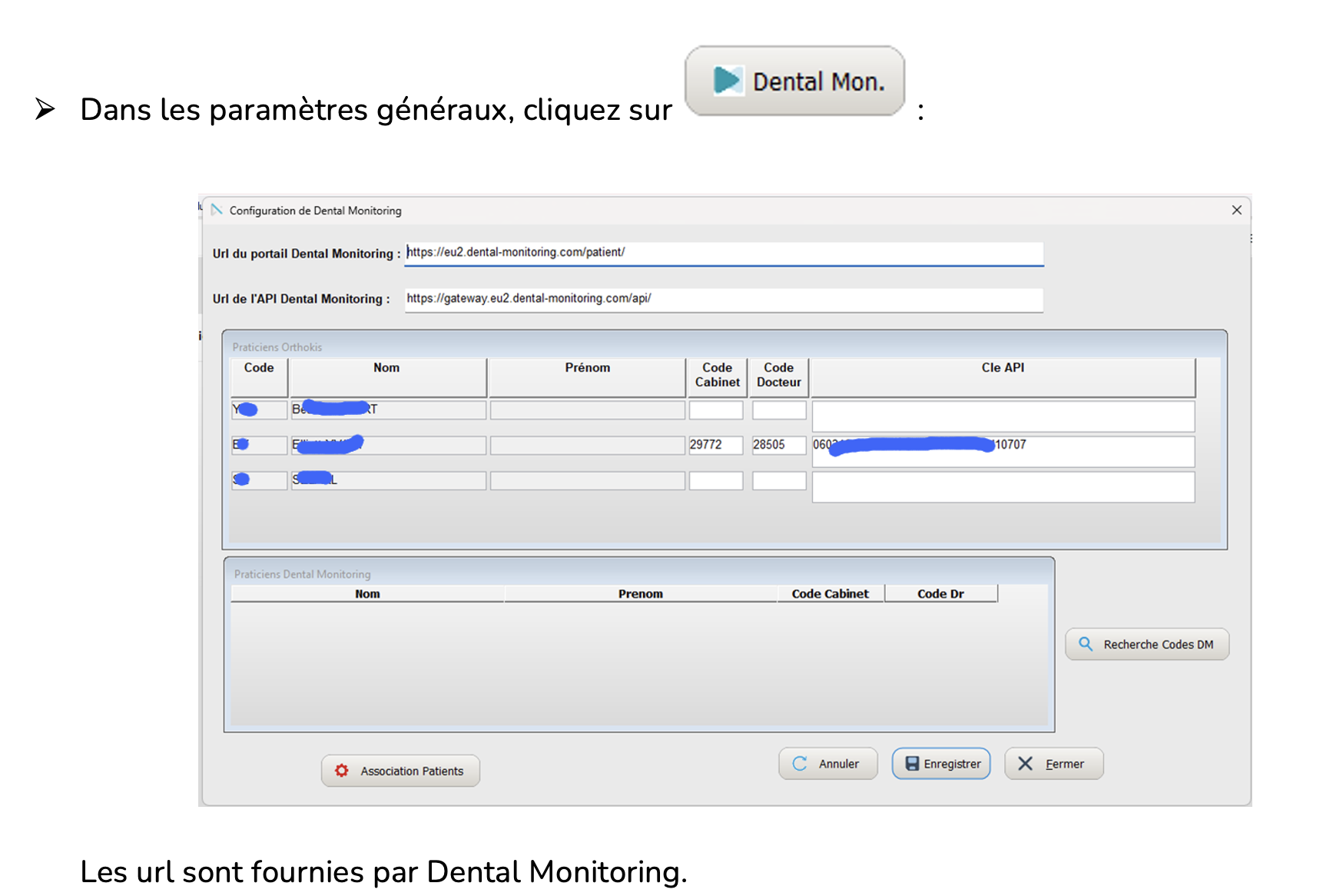
Open Paramètres généraux and click the Dental Mon. button to open the Configuration de Dental Monitoring window. Paste your DM API Key into the Clé API field for each practitioner concerned:
-
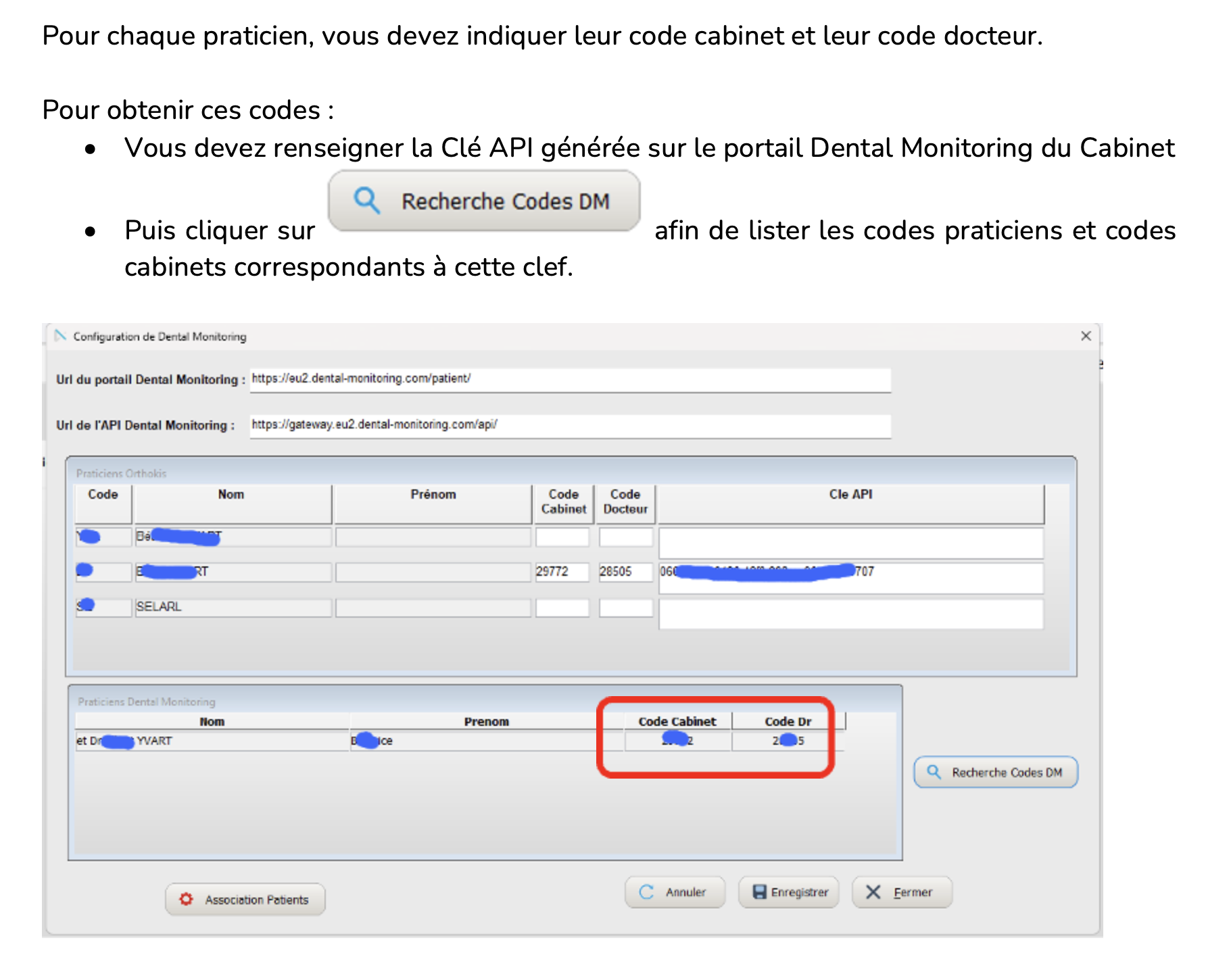
For each practitioner, retrieve their Code Cabinet and Code Docteur. Enter the DM API Key generated for the practice, then click Recherche Codes DM to list the practitioner and practice codes associated with that key:
-
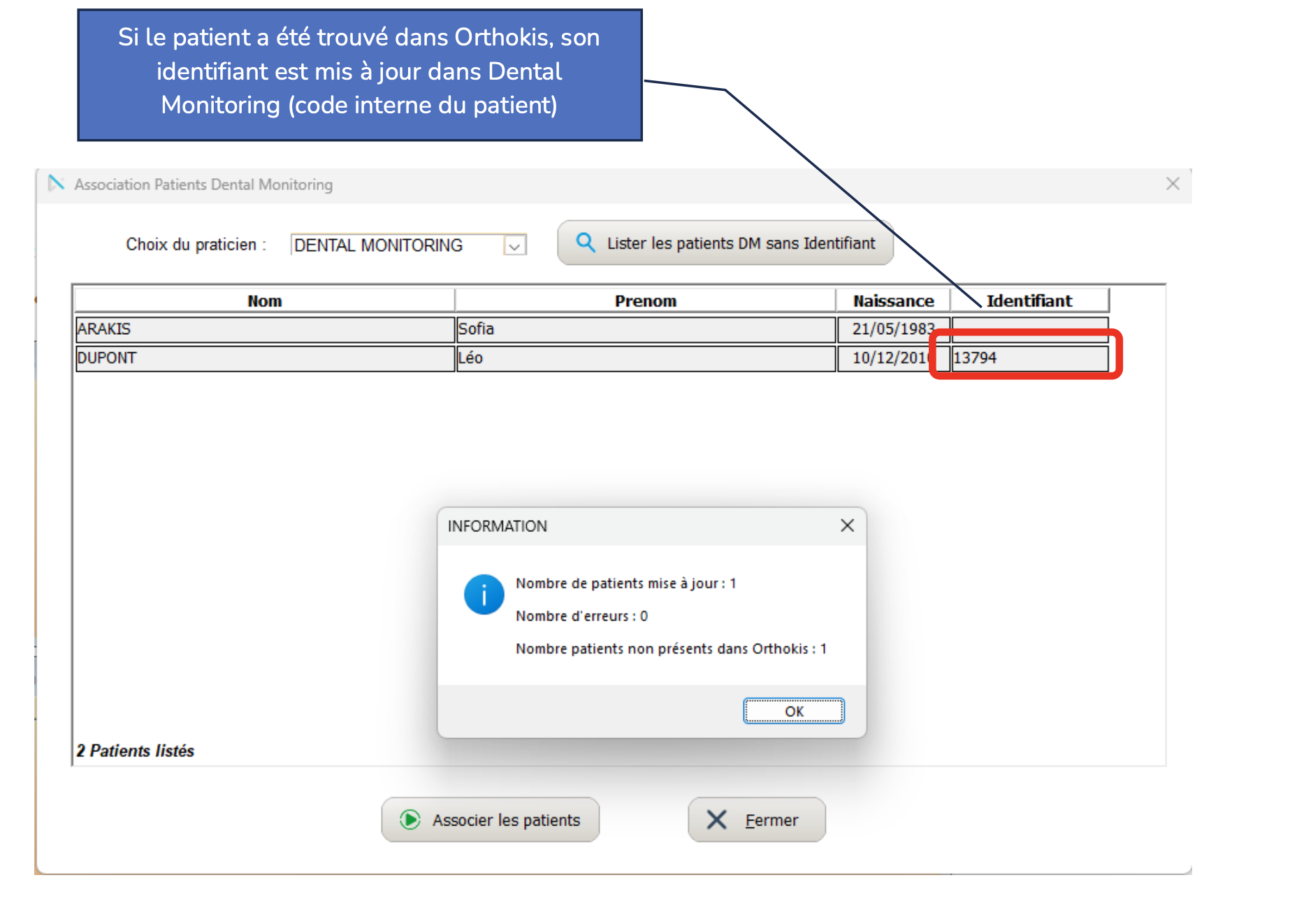
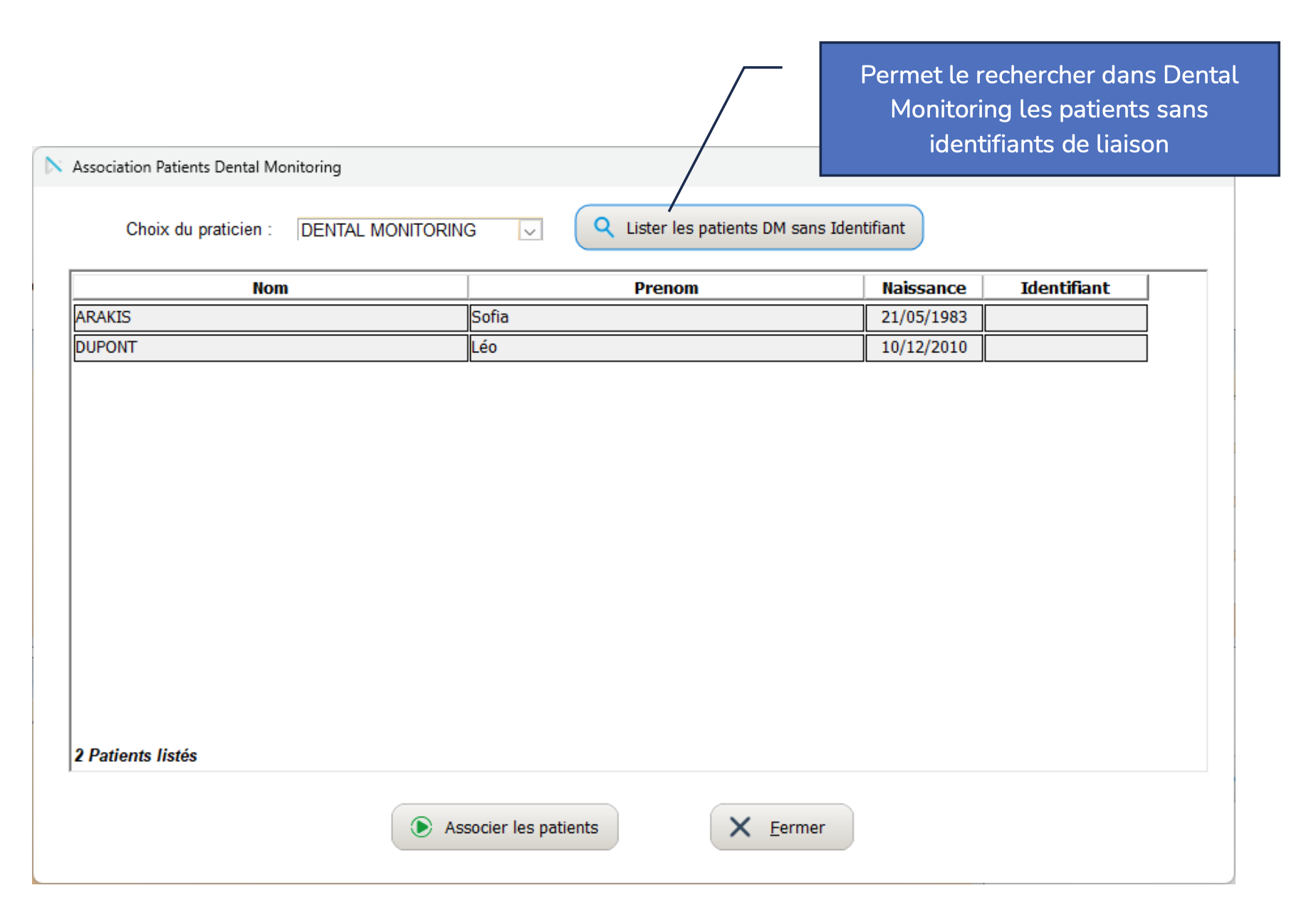
Click Association Patients to open the Association Patients Dental Monitoring window and pair your existing Orthokis patients with their DentalMonitoring profiles. Patients found in both systems are linked automatically, and their DM internal ID is written back into the Orthokis file:
-
Patients that are not matched automatically can be paired by hand. Click Lister les patients DM sans Identifiant to show DM patients that have no Orthokis link, select the right DM profile for each Orthokis patient and click Associer les patients:
Other information
Customer support
For any issue or question about the integration, you can contact either DM or Orthokis customer support interchangeably. Each team will escalate to the other partner if needed.
- Orthokis support: dentalmonitoring@dentalsoft.fr
- DM support: support@dental-monitoring.com