Activation & Workflow
Activation
3D Scanner integrations are activated by default in your DentalMonitoring Dashboard, you do not need to do anything !
There may be specific requirements that depend on your provider for your integration to work, please refer to the relevant page.
Note
Please refer to the dedicated page of each 3D Scanner provider for details specific to each platform.
Workflow
The 3D Scanner integration allows you to fetch scans from your 3D Scanner Provider that have already been taken.
The integration does not enable you to take a 3D Scan on the fly.
To import a 3D scan from your provider into the DM patient card:
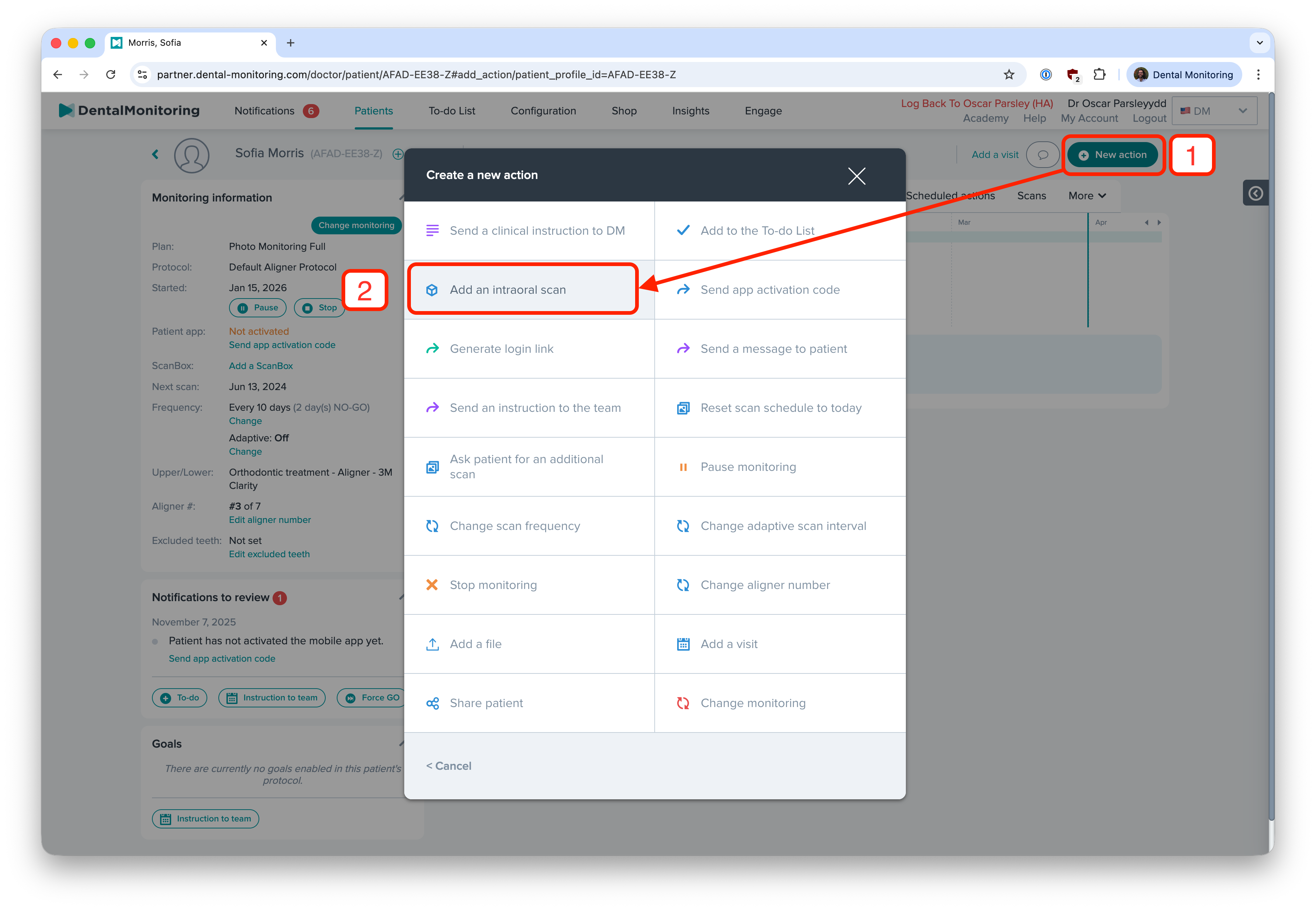
- Navigate to the patient card and click on New Action, then click on Add an intraoral scan,
- In the new window click on the Import from a scanner tab, then click on your scanner provider:
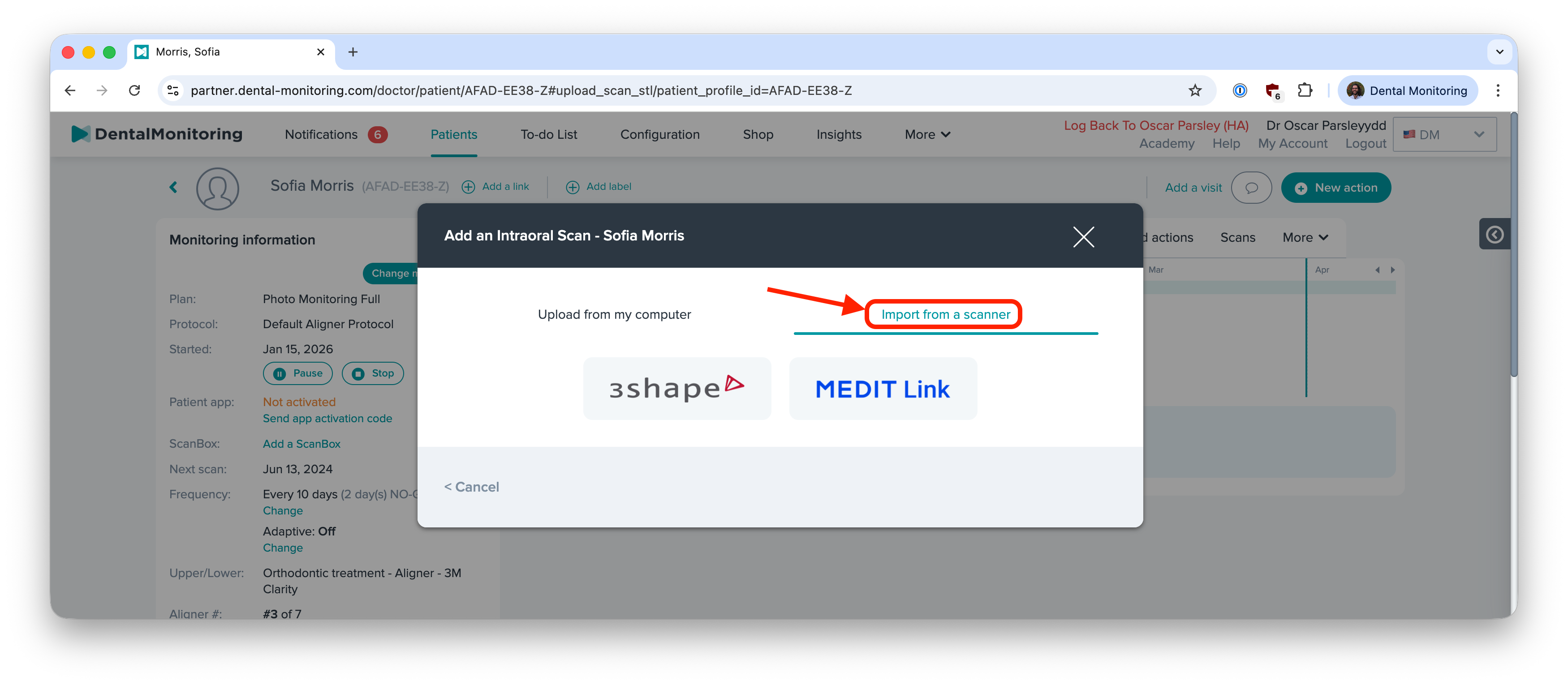
- If you have not logged in recently, you will need to login to
- Search for the case using the available filters.
Search filters
Note that the available search filters depend on each scanner provider. Please refer to the dedicated page of each 3D Scanner provider for details specific to each platform.
Visit the dedicated page for each provider by clicking the relevant link below: