If your practice already runs on Sensei Cloud, connecting it to DentalMonitoring cuts the double entry and patient lookups out of remote aligner monitoring. Sensei patients pair to their DentalMonitoring profiles automatically off email, name and date of birth, so the two systems stay aligned without anyone re-typing details — and because data flows machine-to-machine, the transcription errors that usually come with copy-paste disappear.
Day-to-day, the DentalMonitoring status sits right on each patient's Sensei profile and the full DM portal is one click away, so your aligner consults are prepped before the patient walks in.
Overview
The Sensei integration links Sensei Cloud with DentalMonitoring so patient data and monitoring status stay aligned across both platforms.
- Patient creation: create new patients in DentalMonitoring directly from Sensei Cloud.
- Patient pairing: match an existing Sensei patient to an existing DentalMonitoring profile on email, first name, last name and date of birth.
- Patient updates: keep patient data in sync between the two systems.
- Monitoring status in Sensei: see each patient's monitoring status on their Sensei profile.
- One-click portal access: jump straight to the full DentalMonitoring patient portal from Sensei to start, pause or stop monitoring.
Prerequisites
- A DM API Key. If you have not done so already, generate your DM API Key.
Setup your Sensei integration
The DM API Key is set per team member on Sensei Cloud. You can activate it for your own profile, or a member of your staff (or a Sensei operator) can activate it on your behalf:
-
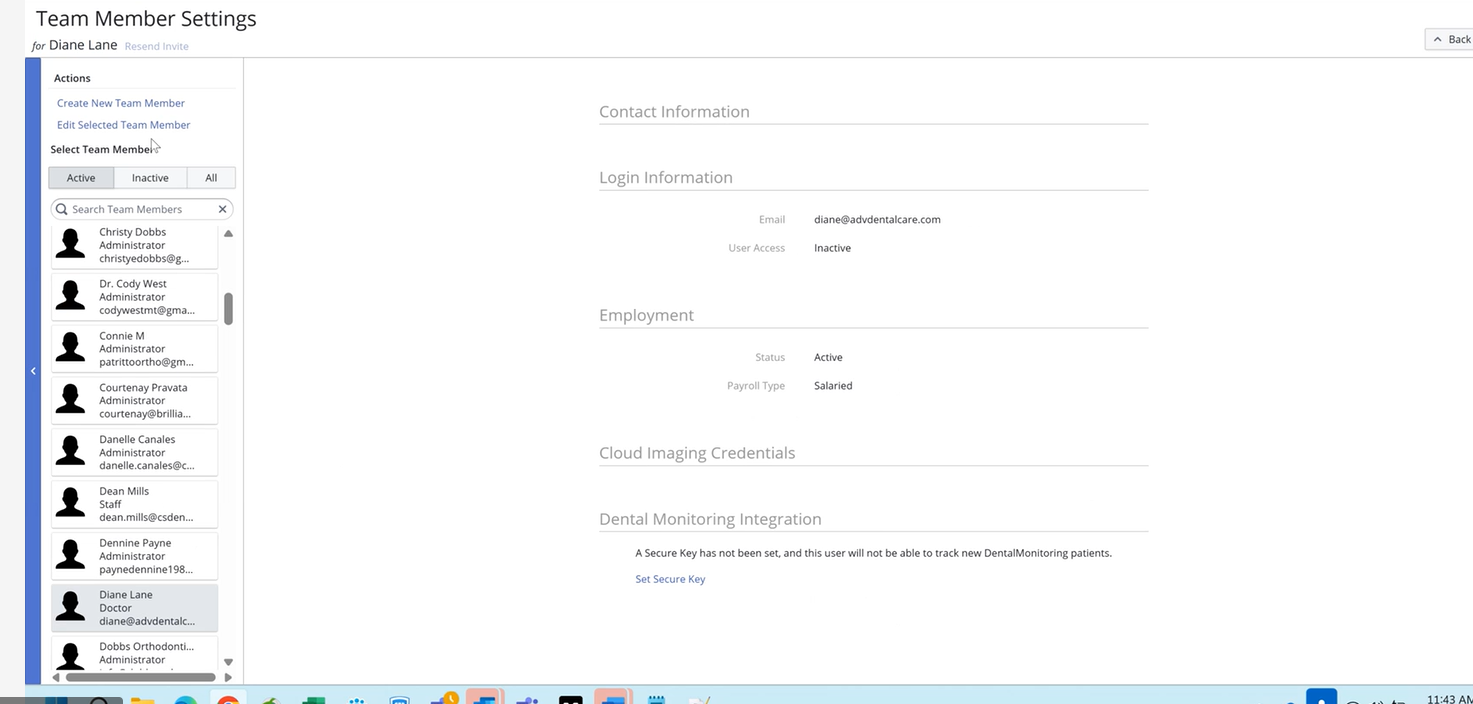
Log into Sensei Cloud and open the Team Member Settings page for the provider you want to activate.
-
Scroll to the Dental Monitoring Integration section and click Set Secure Key:
-
In the DentalMonitoring Secure Key popup, paste your DM API Key and click OK:
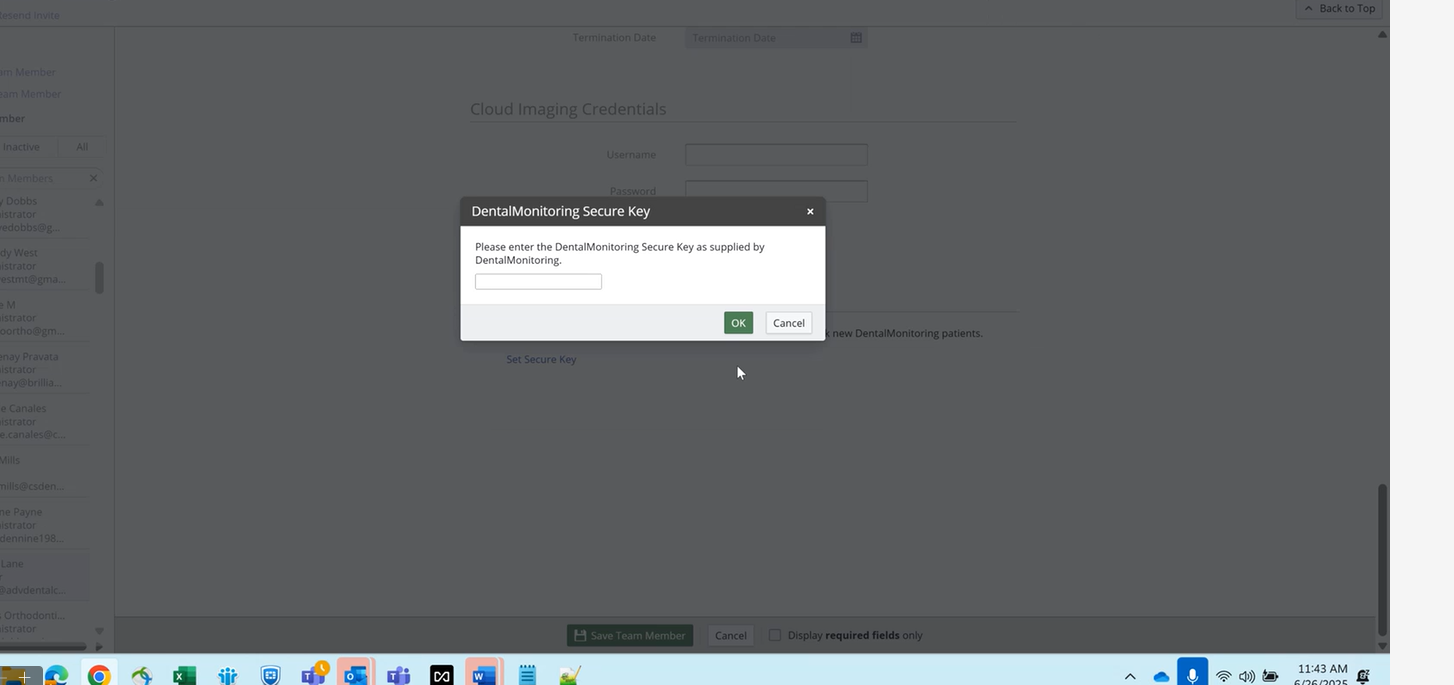
The integration is now active for that team member. You can remove the key at any time from the same screen.
Other information
Customer support
For any issue or question about the integration, you can contact either DM or Sensei customer support interchangeably. Each team will escalate to the other partner if needed.
- Sensei support: contact your usual Sensei Cloud support channel.
- DM support: support@dental-monitoring.com