
Klicken Sie hier, um diese Seite auf Deutsch zu lesen
If your practice already runs its daily workflow on Ivoris, activating the DentalMonitoring integration removes the busywork that normally sits between the two tools. Create a patient once in Ivoris and their DentalMonitoring record is opened or created at the same time — no double entry, no searching for the same patient in two systems, and no transcription errors when names or dates get re-typed.
For an orthodontic practice the pay-off is tangible: every exchange between Ivoris and DentalMonitoring runs machine to machine, so patient data stays consistent across both platforms; a single click from the Ivoris patient screen opens the DM patient card, so you walk into each consult with the latest remote scan, photos and clinical status already in front of you.
Overview
The Ivoris integration connects Ivoris with DentalMonitoring so patient data stays aligned between the two platforms and you can move from Ivoris into DentalMonitoring without re-entering anything.
- Patient creation: create new patients in DentalMonitoring directly from Ivoris, using the patient details already entered in Ivoris.
- Patient pairing: link existing Ivoris patients to their DentalMonitoring profile when their last name matches an existing DM patient.
- Patient updates: when you pair an Ivoris patient with a DM profile, Ivoris pushes the first name, last name and date of birth into DM and stores the Ivoris patient ID on the DM record (Id der Praxis Software) so the two records stay in sync.
- Link to the DM patient card: jump from the Ivoris patient screen straight into the patient's DentalMonitoring profile without leaving Ivoris.
Prerequisites
- A DM API Key. If you have not done so already, generate your DM API Key.
- The Connect Web module activated in Ivoris. Connect Web is a paid Ivoris add-on that is required to enable the DentalMonitoring integration. It is purchased directly from Ivoris, and the Ivoris IT support team takes care of setting it up once it has been purchased.
Note
As of June 2025, Connect Web was priced at 700 € one-time fee + 30 €/month + 30 € for 15 minutes of installation support. Contact Ivoris at info@ivoris.de for the current pricing and to order the module.
Setup your Ivoris integration
Once the Connect Web module is active and your DM API Key has been generated, you can connect Ivoris to DentalMonitoring from the Ivoris settings screen.
-
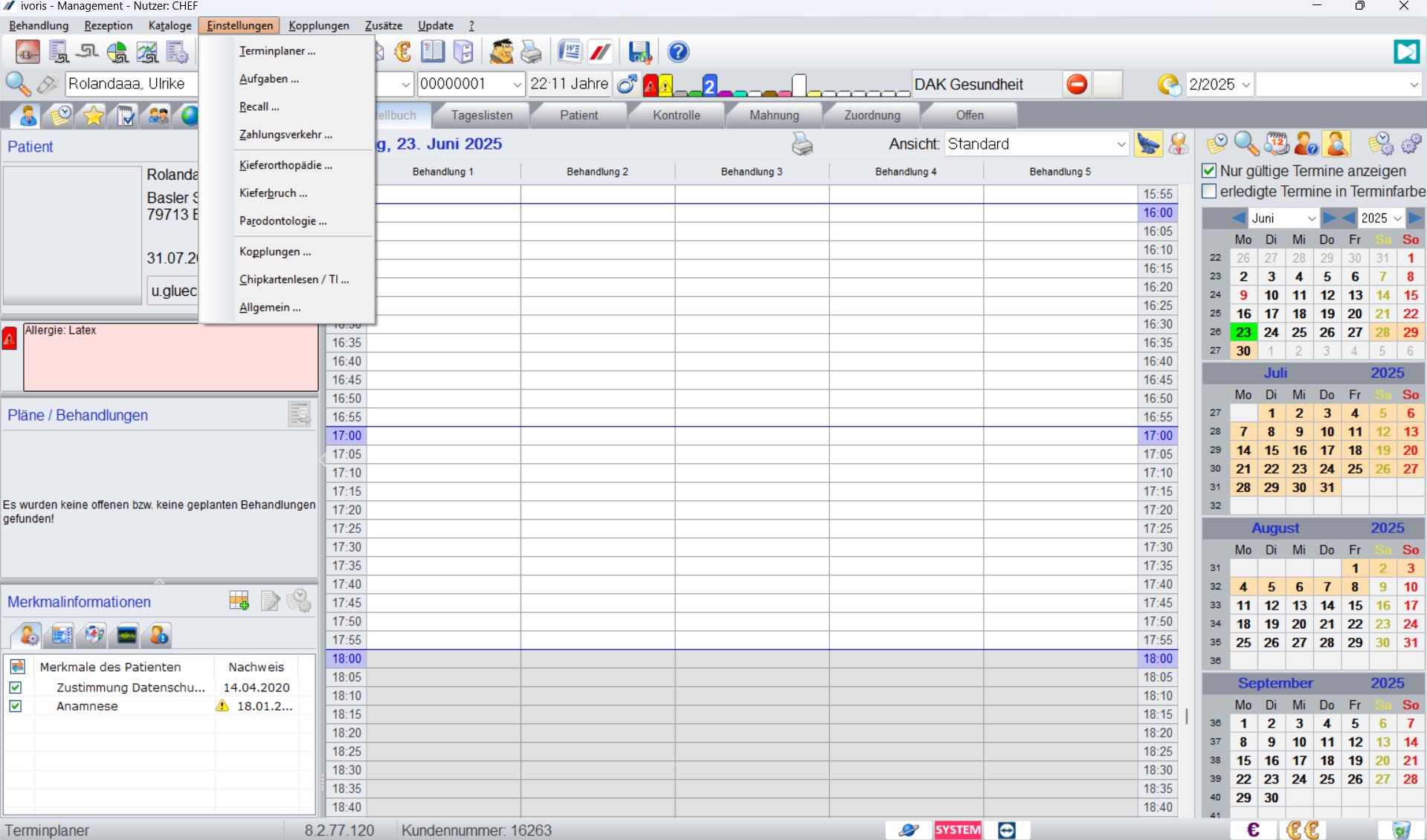
In Ivoris, open Einstellungen and click Allgemein.
-
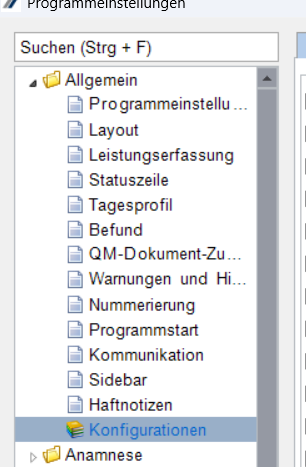
In the Programmeinstellungen tree on the left, click Konfigurationen.
-
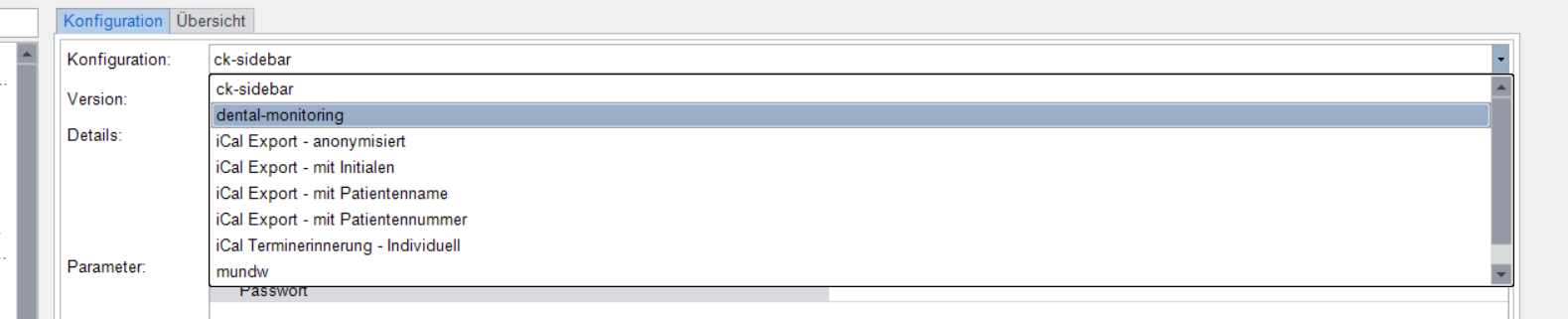
In the Konfiguration drop-down, select dental-monitoring.
-
In the baseUrl field, paste the following address:
https://eu2.dental-monitoring.com/patients/create-from-pms/ivoris
-
In the api-key field, click the ... button on the right, paste your DM API Key into the pop-up and click OK.
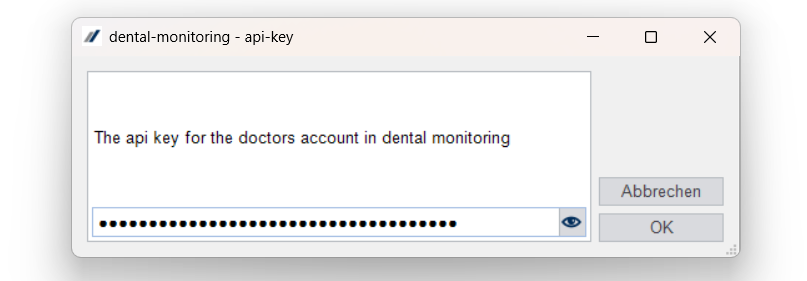
The DentalMonitoring connection is now active in Ivoris.
Other information
Customer support
For any issue or question about the integration, you can contact either DentalMonitoring or Ivoris customer support. Each team will resolve the issue directly or escalate to the other partner if needed.
- Ivoris support: info@ivoris.de or ivoris.de/kontakt
- DentalMonitoring support: support@dental-monitoring.com