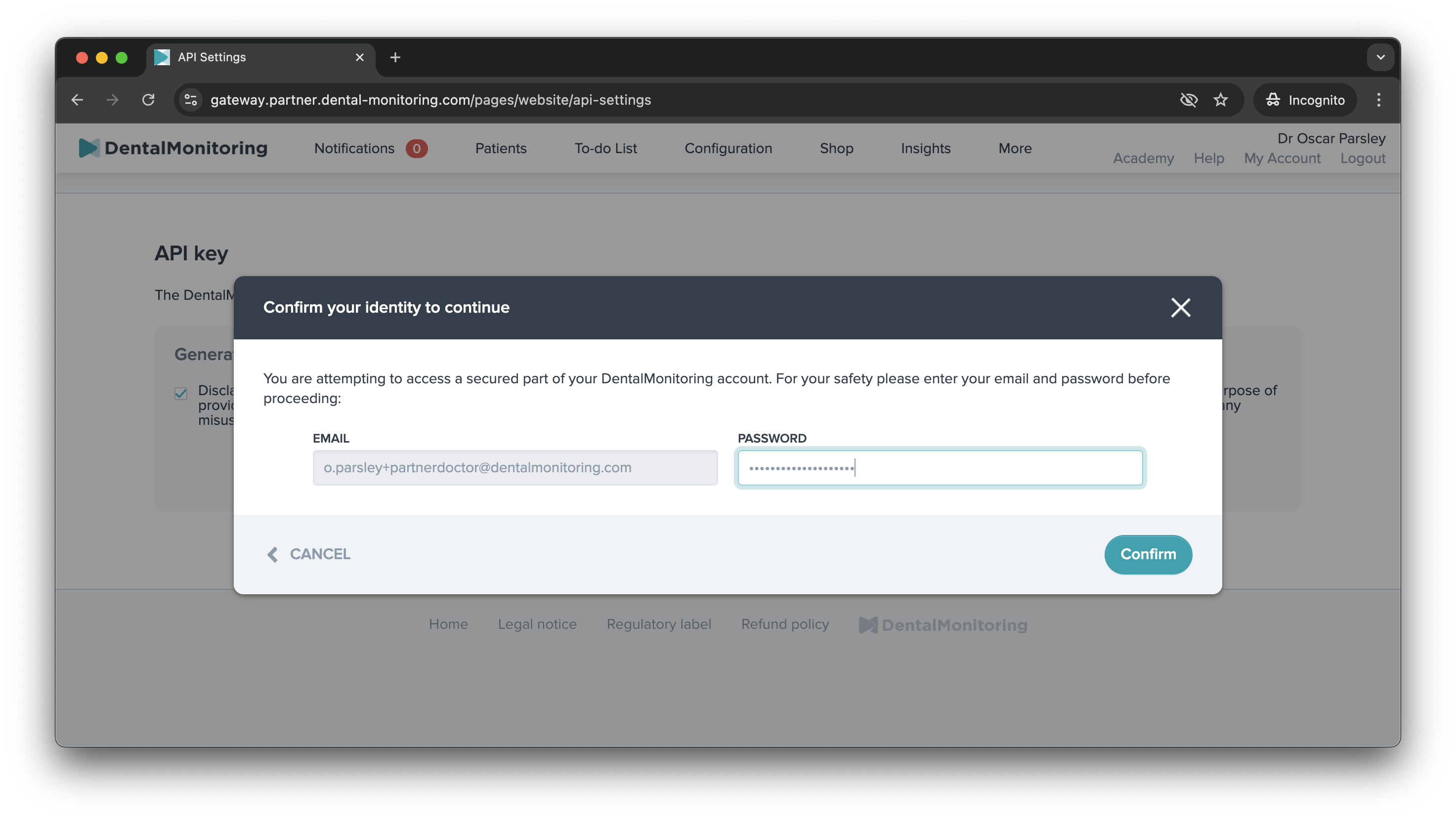
Generate your DM API Key
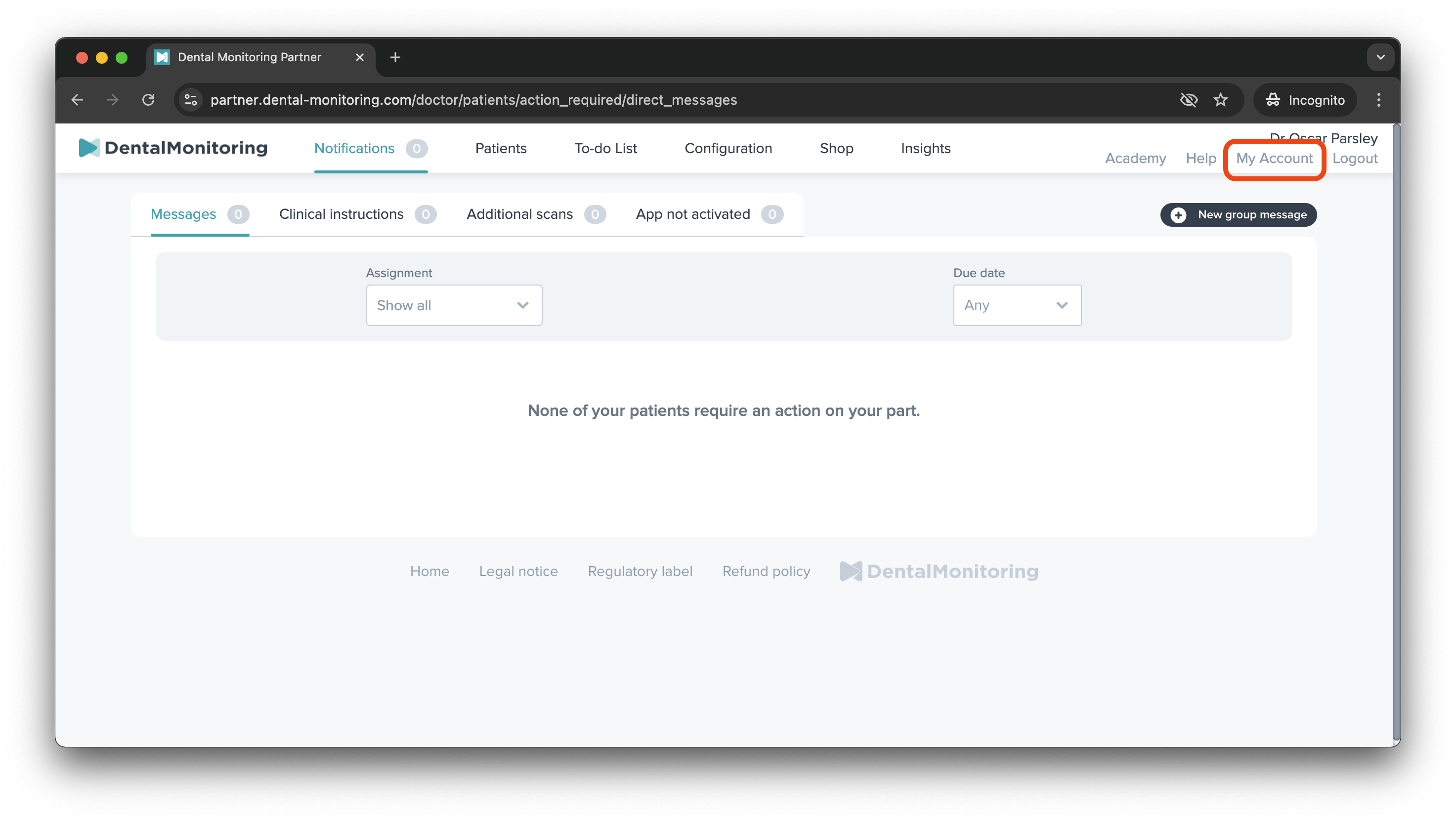
Log into your Doctor Account on your DM Dashboard and go to My Account at the top right of the page.
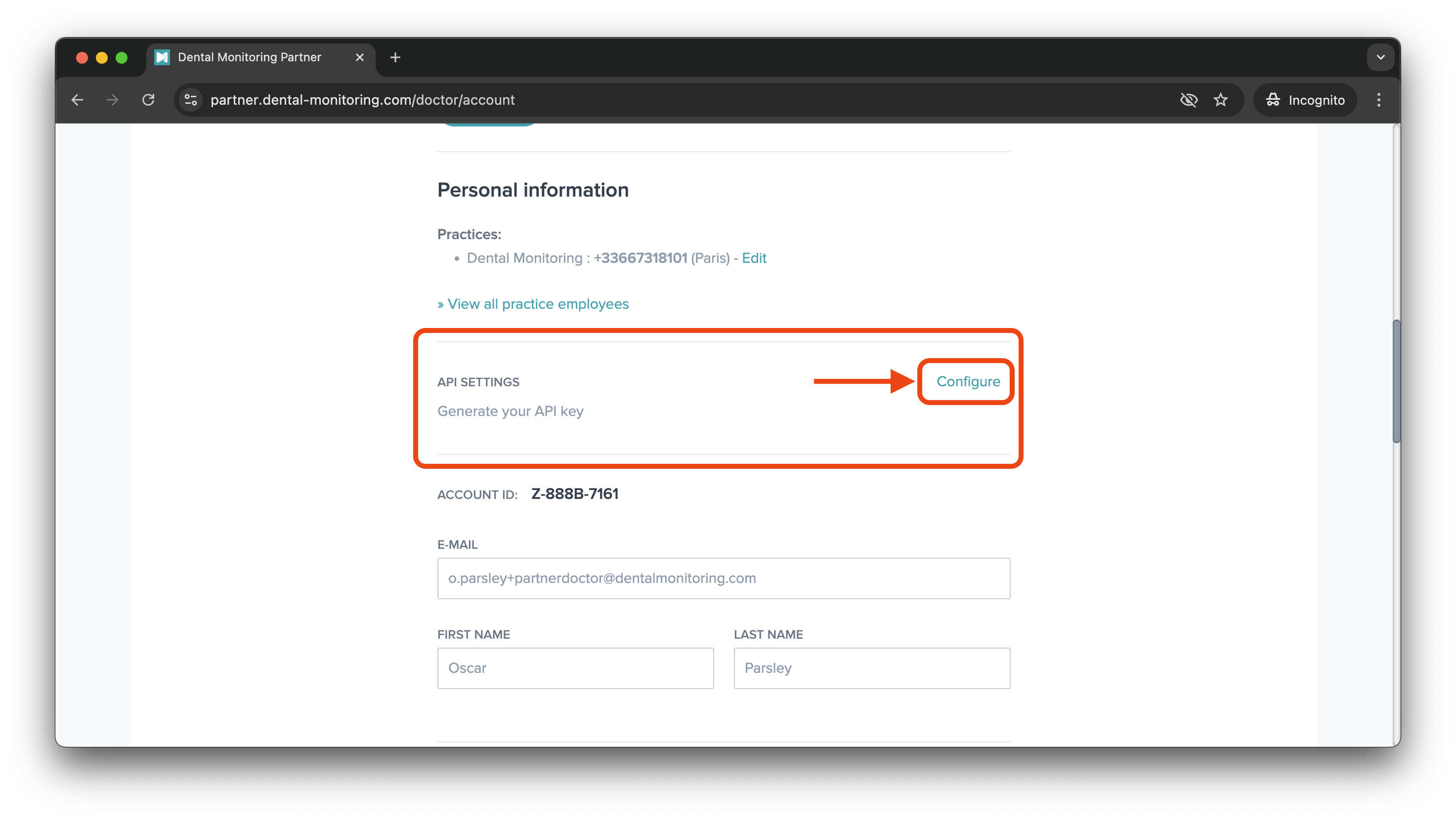
Scroll down until you see the API settings section and click on Configure:
Note
If you do not see this section, please contact Dental Monitoring's support team.
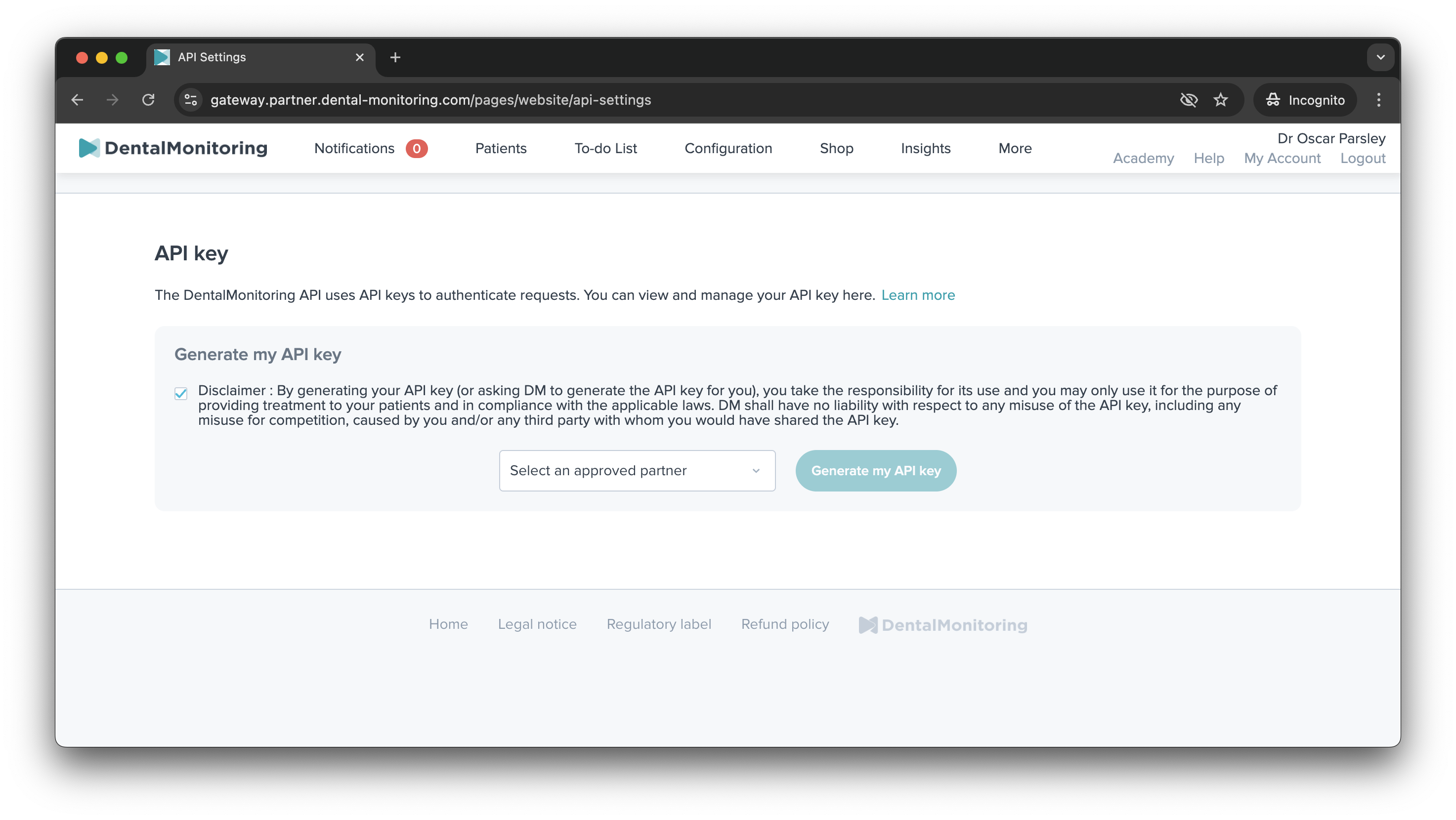
In the popup, you will need to accept the disclaimer and select the application you wish to integrate with. Then click on "Generate my API key"
Warning
If you do not see the name of an organisation in the list, you should not generate an API Key.
Only integrations that appear in the list have been reviewed and approved by Dental Monitoring.
You will be asked to enter your password. Click on Confirm.